TL321x Energy Harvesting (EH) Remote Control User Guide
Overview
The TL321x Energy Harvesting Remote Control development board is designed based on the TL321x chip and is used to verify Energy Harvesting (EH) remote control applications.
This document describes the interface of TL321x Energy Harvesting RCU, power supply mode, debugging mode, and so on in detail, so that users can get familiar with this board and use it for subsequent development and debugging.
Picture of the demonstration
The following figures show the overview of the complete remote control.
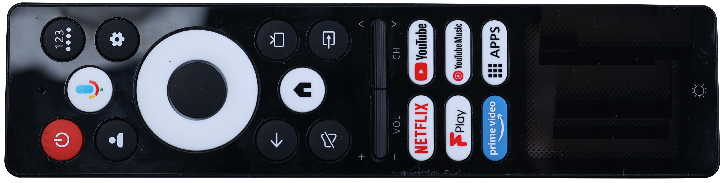
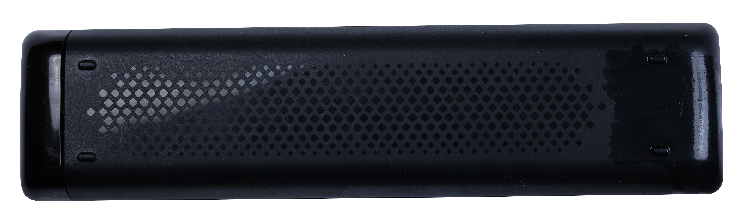
The following figures show the overview of the pcb board of the remote control.
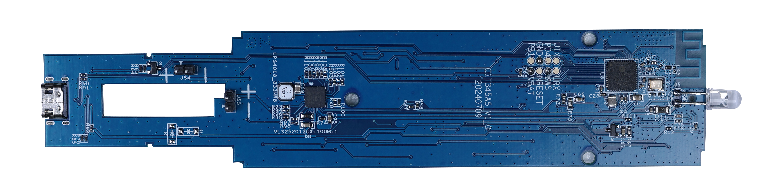
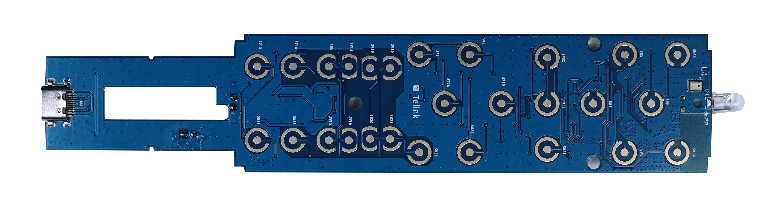
Board features
The following figure shows the position of chip on the board.
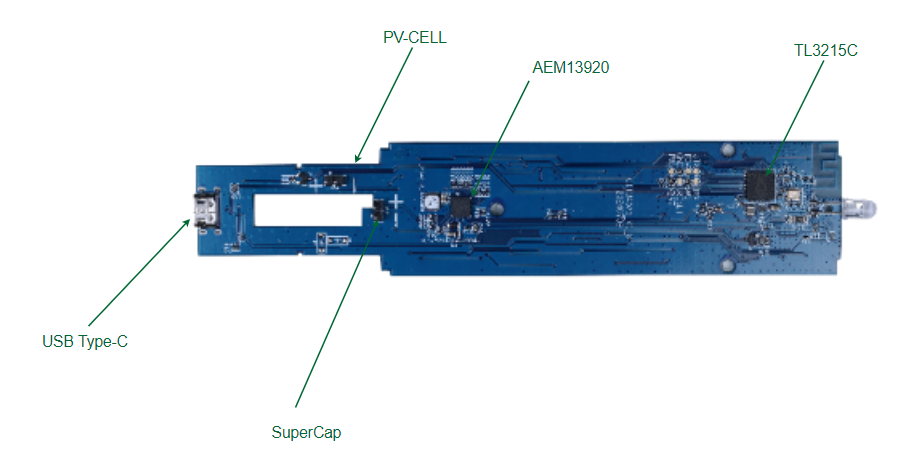
The following table lists the key components on the board.
| Key Components | Description |
|---|---|
| TL3215C | BLE SoC |
| AEM13920 | Solar PMIC |
| PV-CELL | Solar Panel, 1.5V MPP |
| SuperCap | Farad capacitor, 50F |
| USB Type-C | Power supply charge |
Hardware Instructions
Introduction to PMIC
The AEM13920 is a compact, fully integrated power management circuit. It extracts DC power from energy harvesting sources, stores energy in a rechargeable supercap, and powers an application circuit.
Introduction to TL321x
The Telink TL321x chip supports multiple protocols, such as Bluetooth Low Energy 5.4 (Bluetooth LE 5.4), Bluetooth Low Energy Mesh (BLE mesh), Zigbee/RF4CE, Thread, and 2.4GHz proprietary protocols.
Operation with Google TV streamer
The TL321x Energy Harvesting Remote Control development board is compatible with the Google TV platform. It supports press, voice, and infrared operations.
Basic Setup
(1) Connection: Plug the Google TV streamer into an available HDMI port on your monitor and connect it to a power supply. Then, switch the input source of your monitor to the corresponding HDMI input.
(2) When pairing with the EH RCU for the first time, press and hold the button on the streamer for 5 seconds, and wait for the monitor to display the Bluetooth search screen.
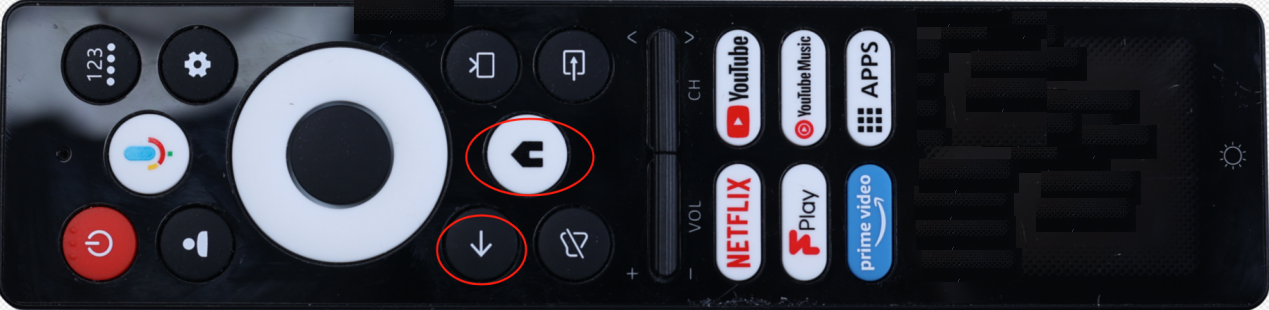
(3) Remote Pairing: Press and hold the "Back" and "Home" buttons on the remote for 5 seconds until the "periphr_demo" appears on the monitor. Then, press and hold the button on the streamer for 3 seconds to complete the pairing and connection.
(4) Streamer Internet Connection and Google Account Login: Connect to Wi-Fi as prompted and log in with your Google account. If you don't have an account, you need to register first.
Main Operations
Searching content
(1) Using Google assistant Voice : Press the "Google Assistant Voice" button on the remote and say what you want to watch, such as "Play Minions" or "Open YouTube".
(2) Browsing Recommendations: The home page has category recommendations like movies, TV shows, and animations.
(3) Searching in Apps: You can also search for content in specific apps after downloading them from the Google Play Store.
Precautions in Use
The outage reset method
When USB Type-C is inserted, the internal circuit will reset the TL321x chip. In case of program running points, downtime and other problems, please replug and unplug the USB Type-C interface for reset.
Battery life calculation
The battery life calcution of TL321x in connection mode is as below.
| - | Average current I(uA) | # of operations | Time of each operation(s) | Daily usage duration (minutes) | Unit |
|---|---|---|---|---|---|
| IR Key press (short press key) | 75000 | 75 | 0.5 | 0.63 | - |
| RF Key press | 287.98 | 500 | 0.5 | 4.17 | - |
| voice command | 4020 | 20 | 5 | 1.67 | - |
| Connection with sleep | 15.78 | - | - | 1433.54 | - |
| Total Supercap Energy | - | - | - | 204387.3 | mJ |
| Total Energy per day (mJ) | - | - | - | 4578.18 | mJ |
| Solar Charge Total Energy per day (mJ) | - | - | - | 4276.79 | mJ |
| Battery life (day) | - | - | - | 635 | day |